👾 Introducing Better Tic-Tac-Toe: An Online Multiplayer Tic-Tac-Toe game
A real time multiplayer tic-tac-toe web game ( Auth0 x Hashnode hackathon)

Hi everyone,
Are you tired of playing tic tac toe on your own? Playing with random strangers instead of your fellow cousins, friends? You want a game that you and your friends can start right away just by entering some numbers?
Better Tic-Tac-Toe is the way to go 🎉 🎉
💙 Link demo: (Look best on mobile device, but it still looks good on desktop though)
- https://betterttt.com
💙 Github Repo:
- https://github.com/anhduy1202/better-tic-tac-toe-client (Client)
- https://github.com/anhduy1202/better-tic-tac-toe-server (Server)
👨🎓 About me
I'm a Computer Science sophomore studying in the United States and I'm recently learning web development on my own. My goal is to become a software engineer working in Silicon Valley one day
💡 Inspiration
I've been working as a teacher assistant for a middle school Math class and we always play online tic tac toe in during break time. However, the problem is that we have to send game link to other so we can play 1v1 with the students, and we don't want to grab other social media to send the link. Also, those online games are too easy since it's just a 3x3 grid.
Therefore, I decided to make Better Tic-Tac-Toe to solve those problems, you don't need to send any links to their social media in order to join game with your fellow cousins, children,...
🏆 Features
- 🔑 User Authentication (Customized username)
- 🤡 Browse as Guest (Ugly username)
- 🎨 Create Room
- 🔎 Join Rooms through Room ID
- ⚔️ Compete with other people by joining their room in real time
- ⚡ Kick you out if Room ID doesn't exist or the room is full
- 🌙 Dark Mode !!!
📚 Tech Stacks
- Auth0: User Authentication (Auth0 also helps me with avoiding similar username)
- ReactJS: FrontEnd
- SCSS: Styling
- Socket.io: Real-time connecting
- Real-time database Firebase: Update games + available/full rooms in real-time
- Toastify: Pop-up notifications when the rooms isn't available/ full or doesn't exist
- Netlify: Client hosting
- Heroku: Server hosting
🎮 App Insight ( Light + Dark Mode )
Login page
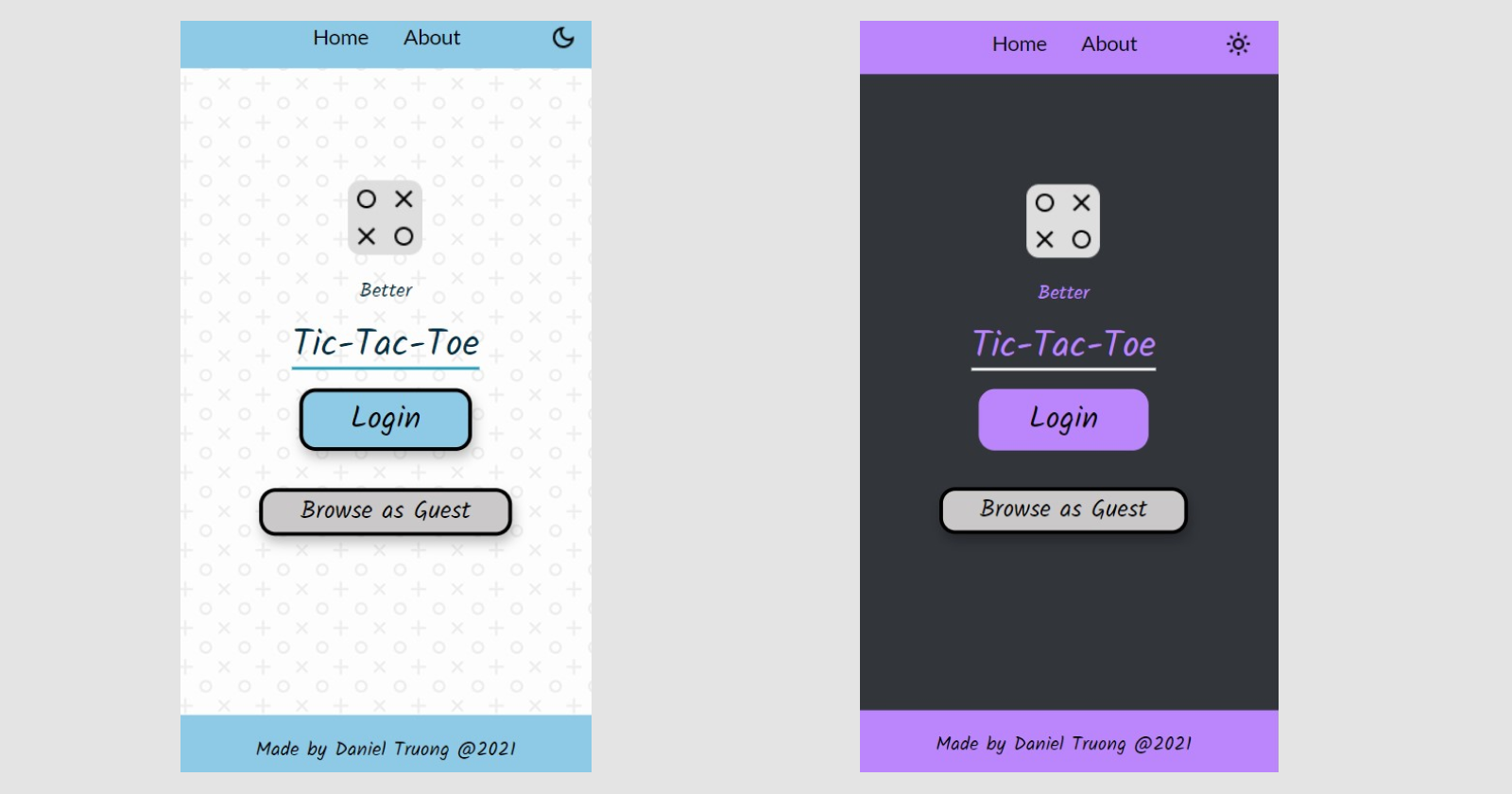
This is how the users going to see when they access the web at the first time through their mobile devices, in order to get full access to the game, they either have to log in through Auth0 with their own choice username when sign up or they can browse as guest with their username as some random numbers
Home page (After Login)
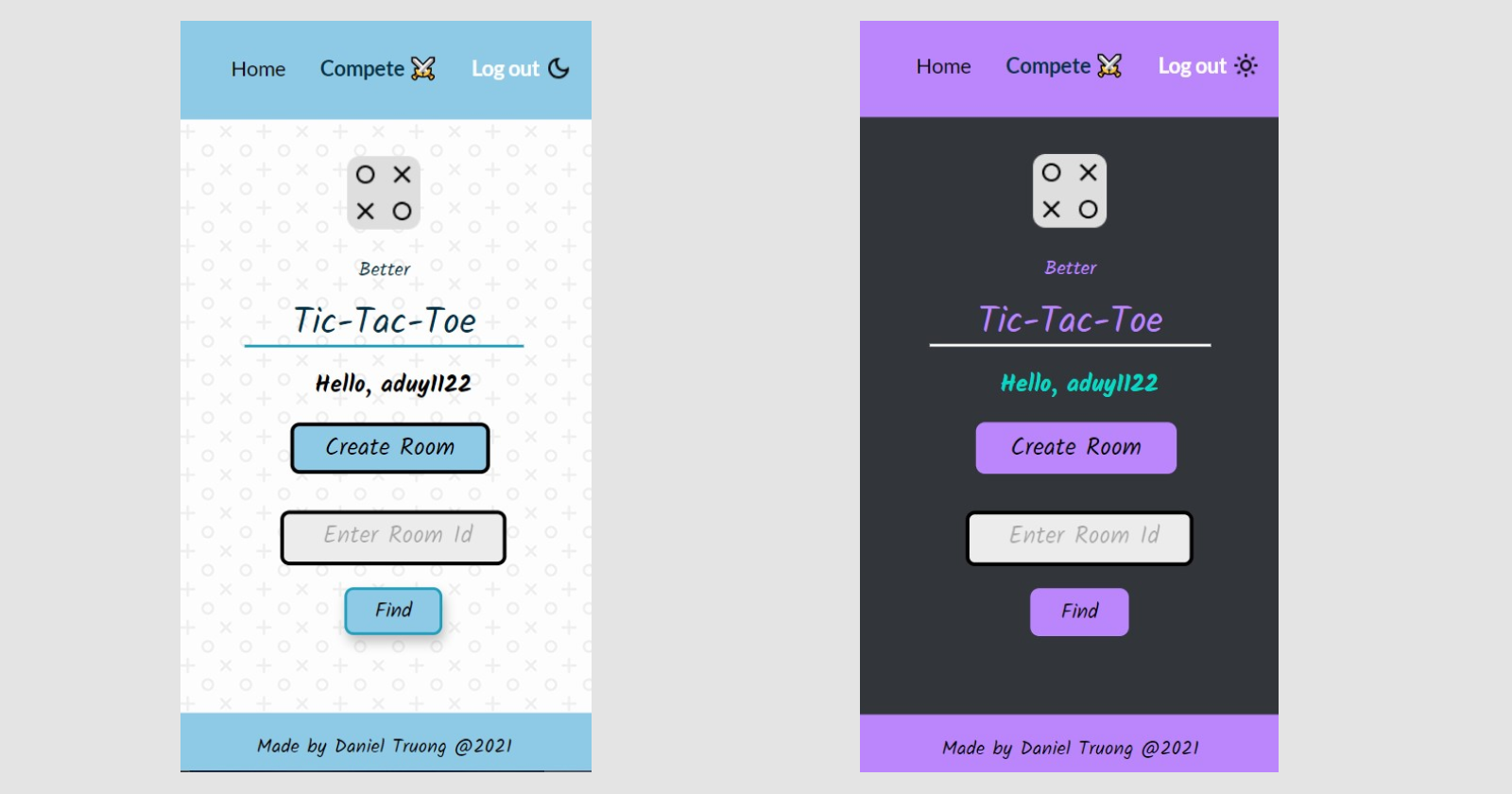
Now users will be able to see other features after they sign in, they can click on the log out button and they'll be redirect to the login page above
🌞 Friendly Mode (Play with friends)
Create Room

If users choose to create a room, a random ID number will be generated so that they can send those number for their friends to join, then they can click join to make the rooms active to play
In-game
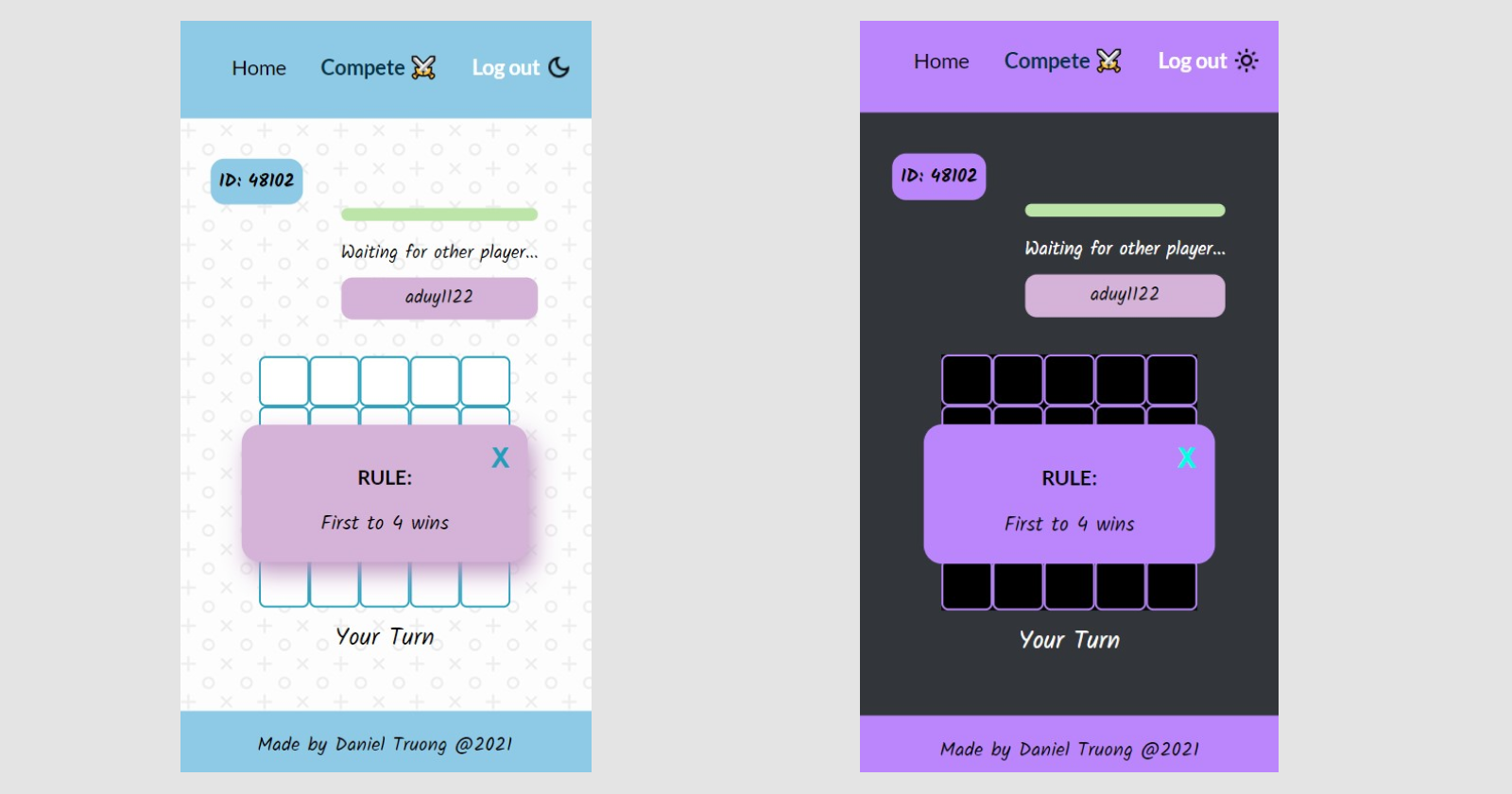
After the user create the room and click Join, they will be sent to the room and wait until there's another player to join the room
Find Rooms
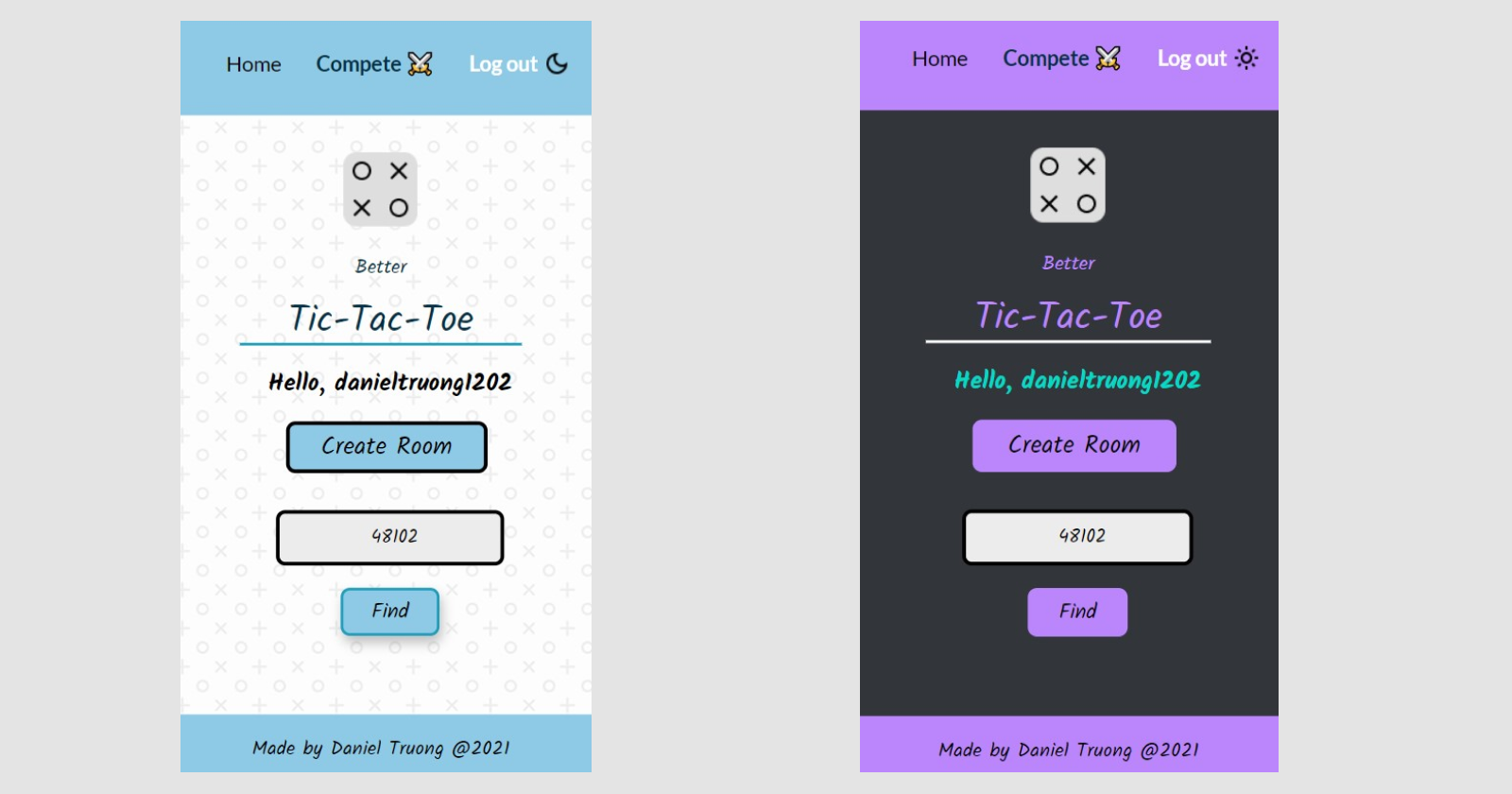
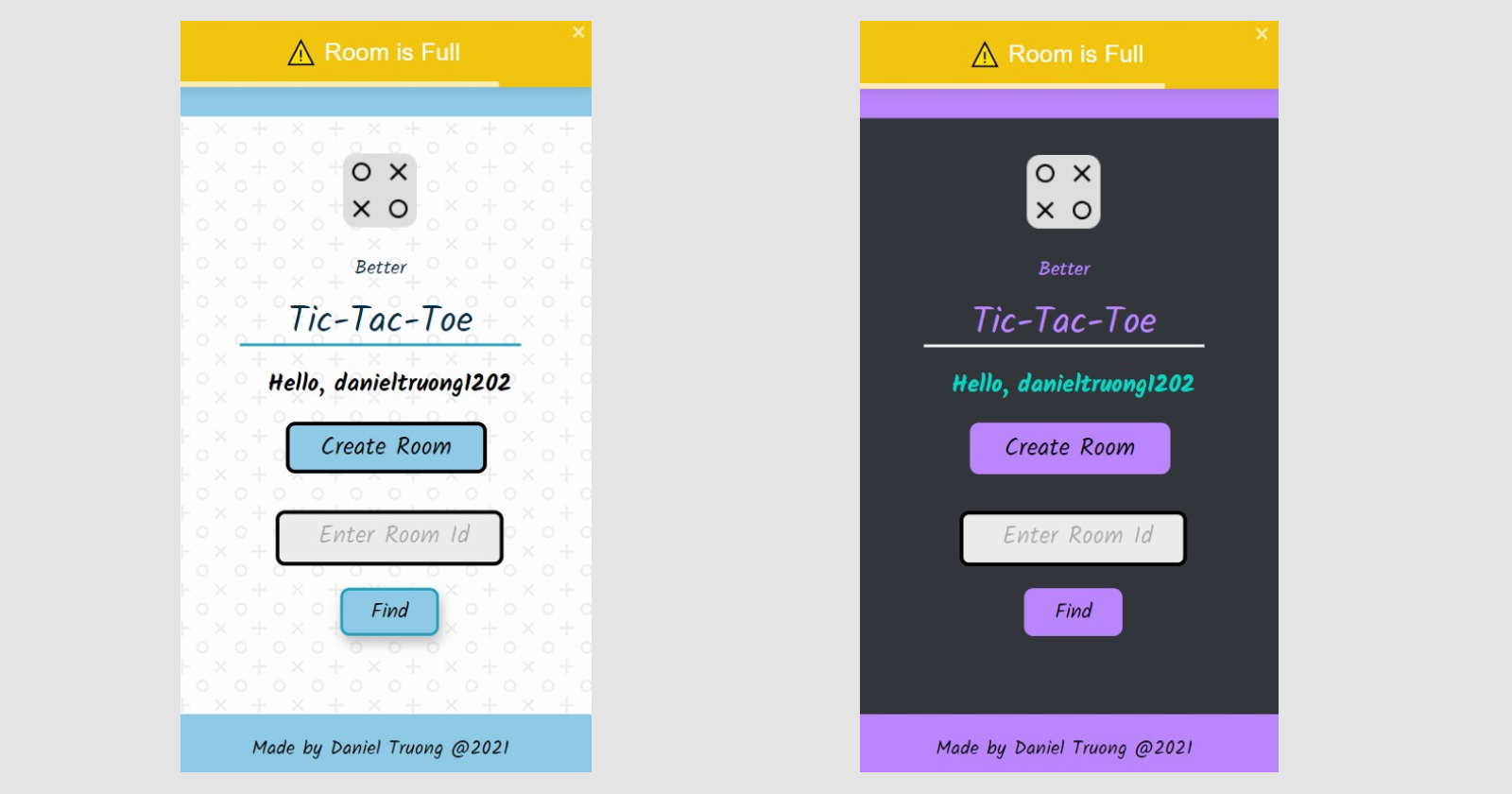
Then other player can simply type in the Room ID to join the same room, player can't join a room that doesn't exist or if it's already full and they'll receive a pop-up notifications in that case.

Gameplay
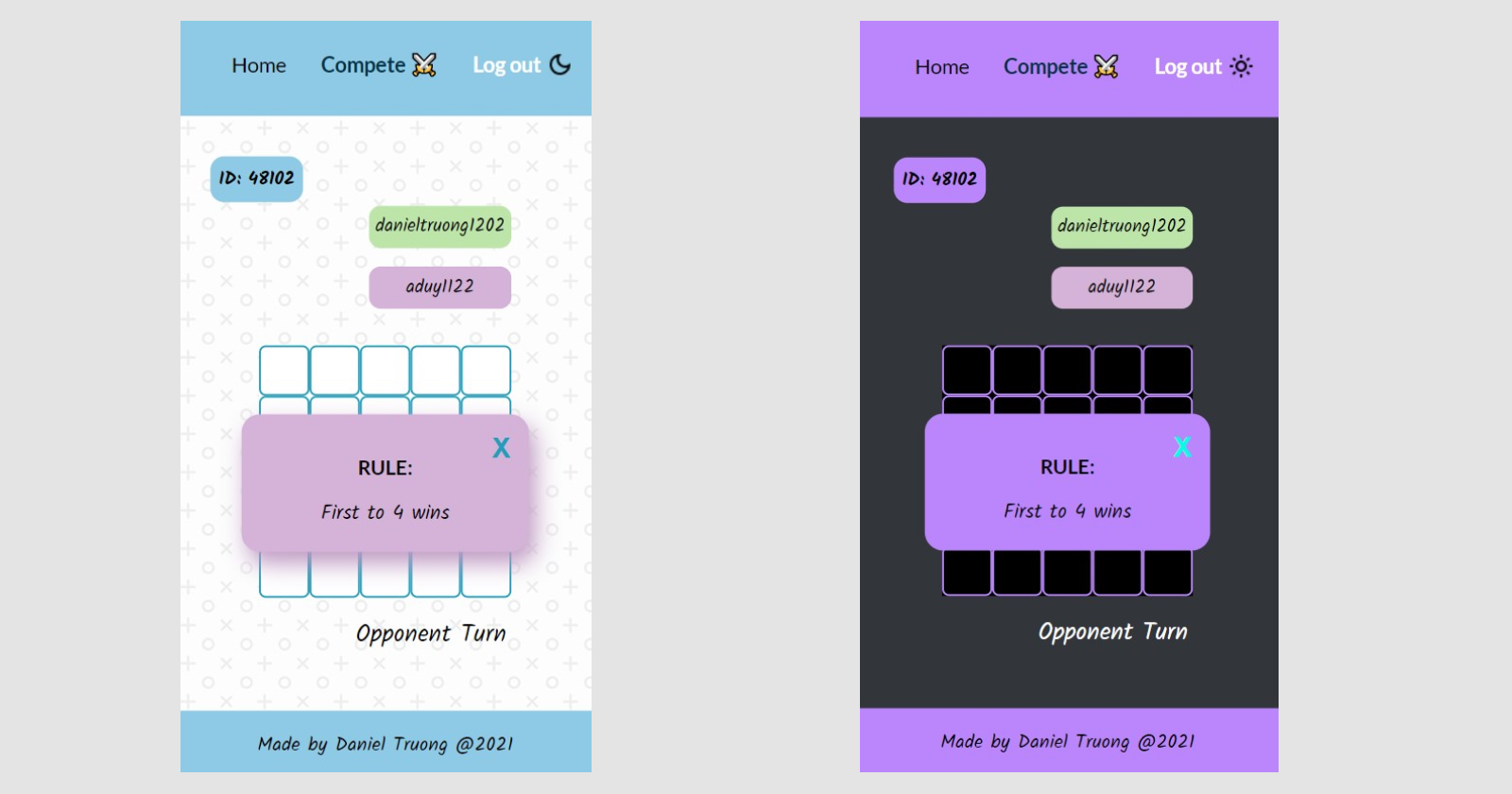
After the other player join, it'll show their name on both player's screen and they can start playing tic-tac-toe turn by turn
The game will end when the first player makes a 4 in a row/column/diagonal
Game Ended
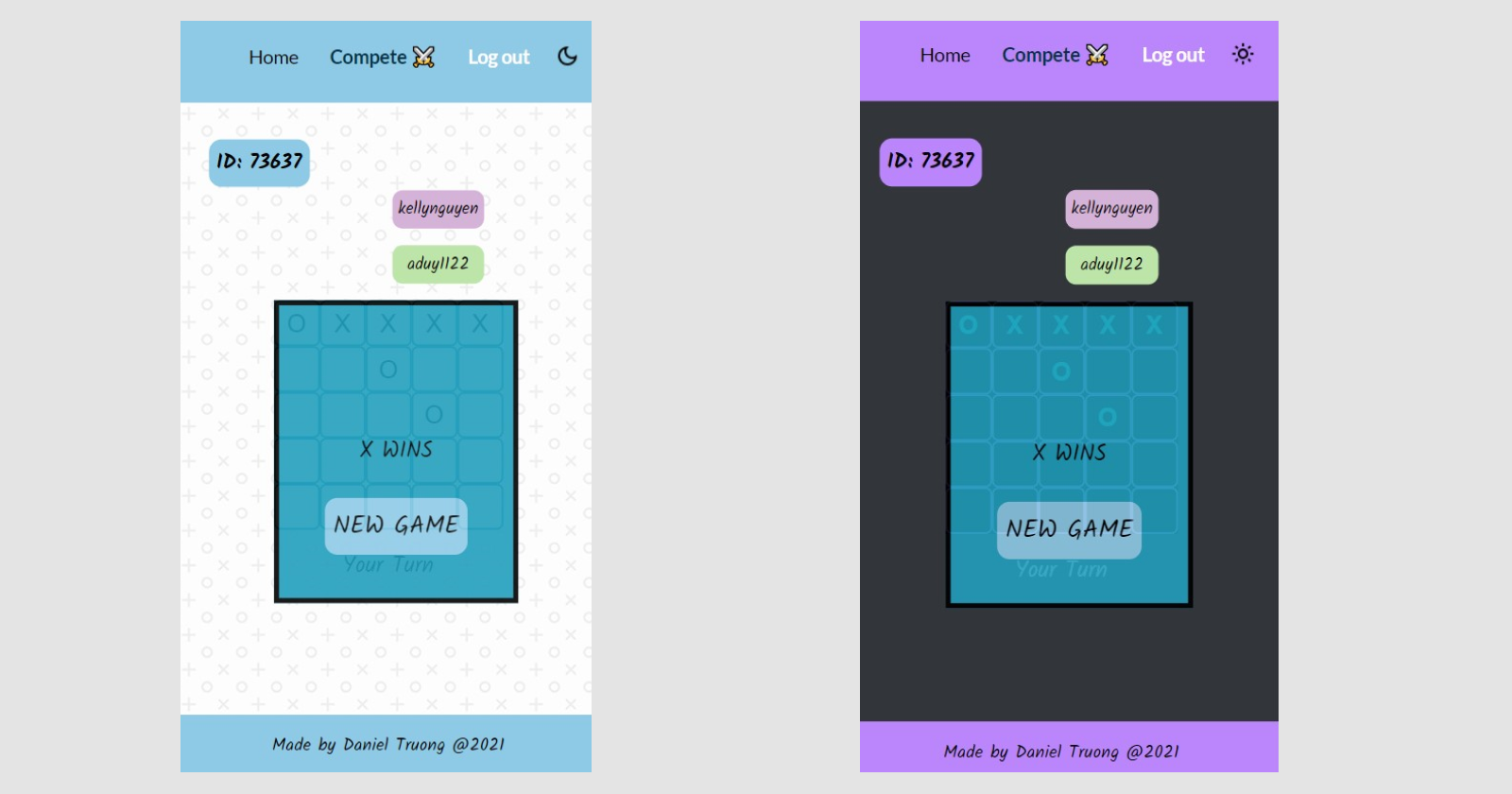
A win/lose/draw overlay will be displayed and user can choose New Game to Create/Join another games
🔥 Compete Mode (Play with random people)
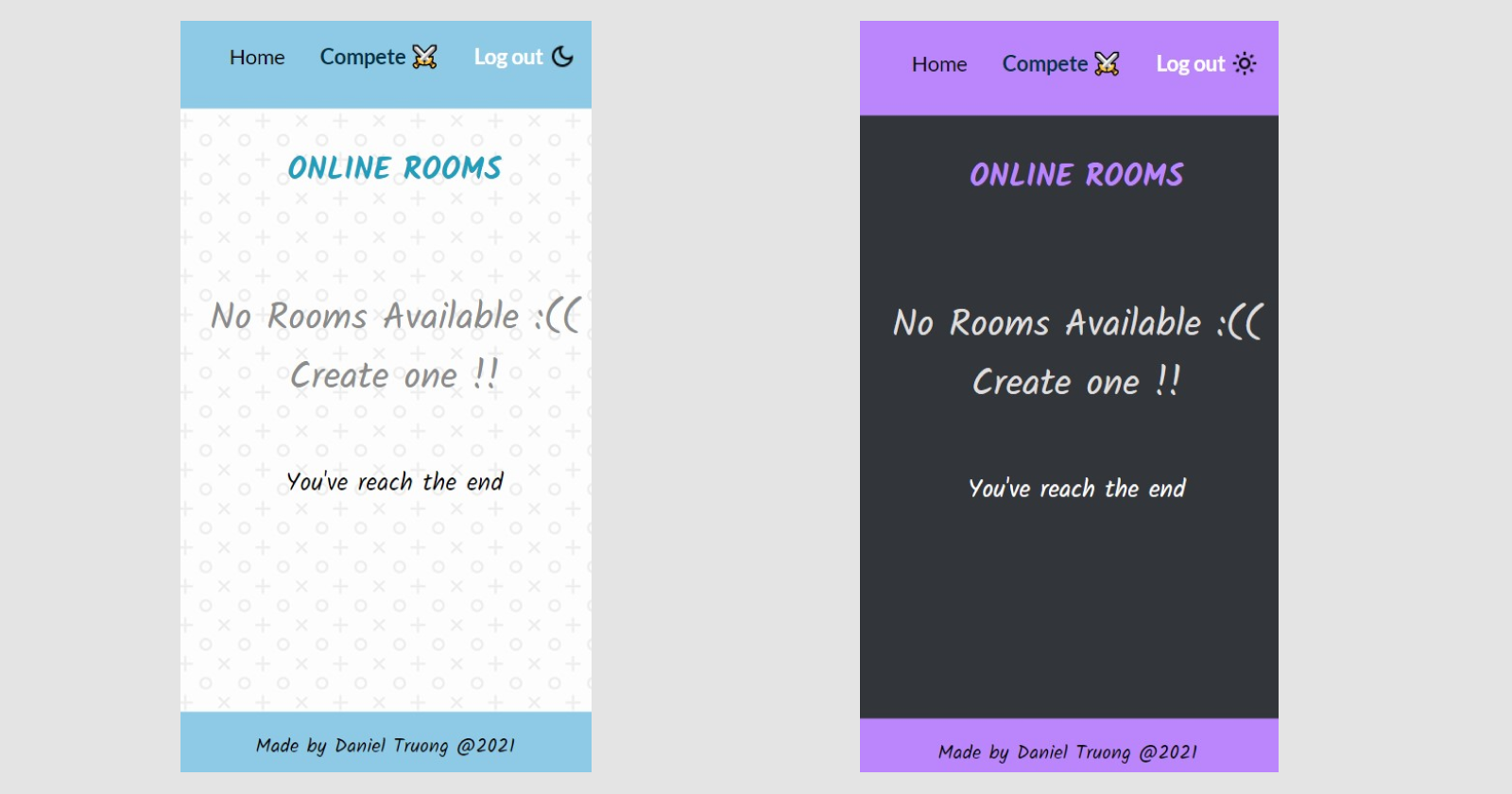
If users click the Compete option from the Navigation bar, they will see all of the active rooms in real time that are created by other players, these rooms will be labels either available or full depends on the number of players inside the room.
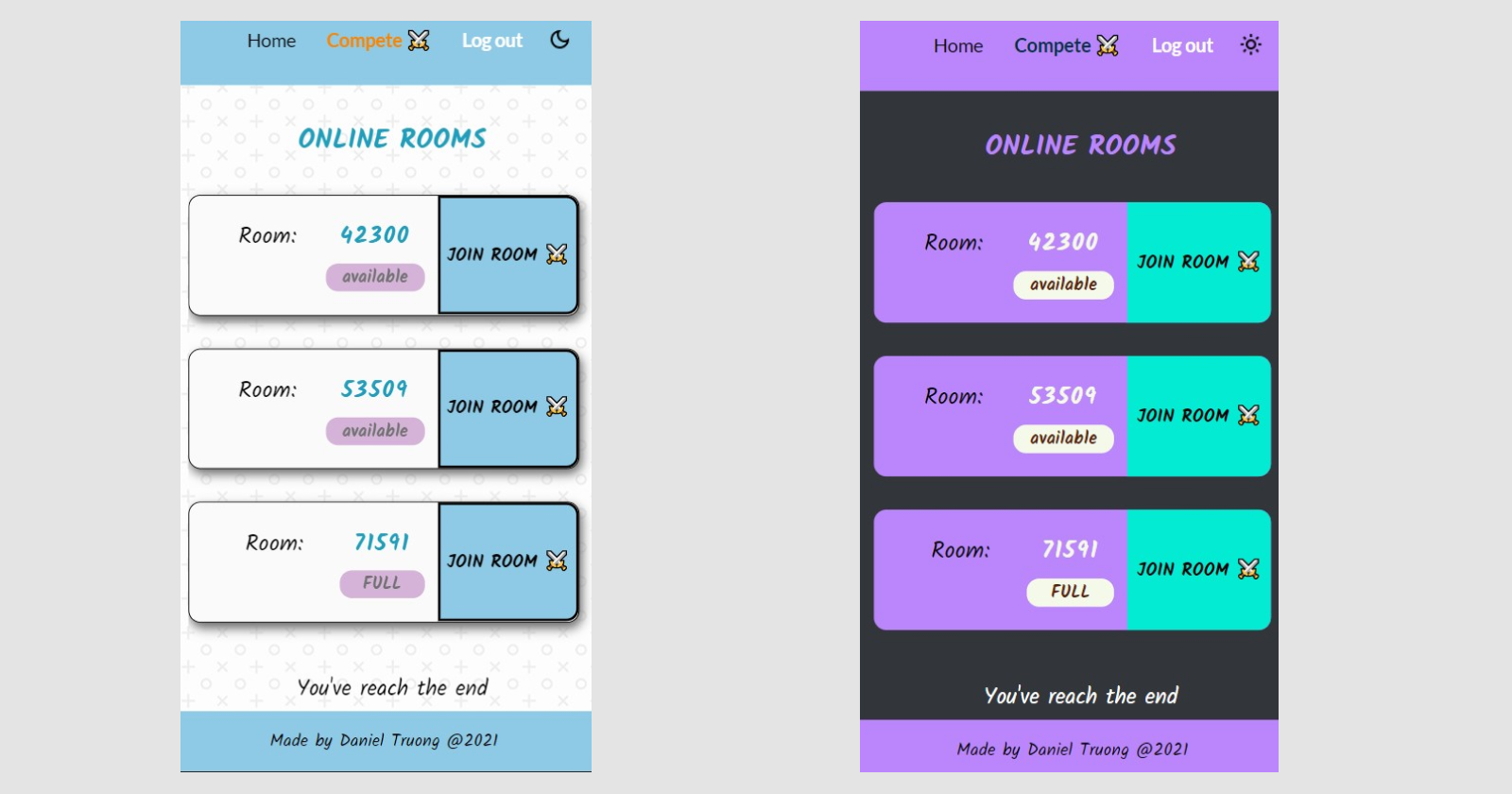
Then user can join which rooms is available and they'll be sent into that room, if they join a full room, they'll get kicked out and a pop up will be displayed
If no one creates room at the moment, there'll be a message display that there're no rooms to play :(
💻 Building Process
Front-End
( ReactJS, Firebase, Auth0, Toastify, Socket.io client, SCSS)
- Getting Started by creating a React Application
npx create-react-app betterttt - nstall Auth0 in order to apply user authentication
npm install auth0 - Install firebase real-time data base (update games, rooms), socket.io client (Receive event from socket.io server), React-Router (Easy navigate), Toastify (Pop-up notifications)
npm install firebase, socket.io-client, react-router-dom@5, toastify
- Setting up environment variables (.env) for Firebase Database, Auth0 ( You should never put your key public for anyone to see )
REACT_APP_AUTH0_DOMAIN= //
REACT_APP_AUTH0_CLIENT_ID=//
REACT_APP_API_KEY= //
REACT_APP_AUTH_DOMAIN= //
REACT_APP_DB_URL= //
REACT_APP_PROJECT_ID= //
- Initial those environment variables to Firebase, Auth0 so we can use the database + authentication
import firebase from "firebase";

const apiKey = process.env.REACT_APP_API_KEY;
const authDomain = process.env.REACT_APP_AUTH_DOMAIN;
const dbUrl = process.env.REACT_APP_DB_URL;
const projectId = process.env.REACT_APP_PROJECT_ID;

const firebaseConfig = {
    apiKey: apiKey,
    authDomain: authDomain,
    databaseURL: dbUrl,
  };
  // Initialize Firebase
  firebase.initializeApp(firebaseConfig);

  export default firebase;
Wrap our App in Auth0Provider so we can apply authentication
import './index.css';
import App from './App';
import {Auth0Provider} from '@auth0/auth0-react';

const domain = process.env.REACT_APP_AUTH0_DOMAIN;
const clientId = process.env.REACT_APP_AUTH0_CLIENT_ID;

ReactDOM.render(
  <Auth0Provider
  domain={domain}
    clientId={clientId}
    redirectUri={window.location.origin}
  >
  <React.StrictMode>
    <App />
  </React.StrictMode>
  </Auth0Provider>,
  document.getElementById('root')
);
- In our App.js, we can easily destructor props from Auth0 by
import { useAuth0 } from '@auth0/auth0-react';
const { user, isAuthenticated } = useAuth0();
Back End
(Socket.io)
I mainly use Socket.io for update user connect to the same room and display that username in the front-end
Then since it's super long so you can take a look more in my repo 👀
🤖 Winning Code Logic
For those who interested in what's the logic for the game to decide win/lose/draw after 4 in a row/column/diagonal in a 5x5 board:
- I keep track of the user current tile in the board through Firebase, then I get their information location (which column, row, diagonal are they locating at the moment). Then, I run loops to calculate for each factors in order to win along with the player symbol (X or O) to decide which symbol wins. If the board is filled and no one meet the winning condition then it'll be a draw
The main function looks like this
export const getWinner = (currMove, startPos, lastPlayer, newBoard, BoardSize, tileSize) => {
    if (!newBoard || newBoard.length == 0 || newBoard.every(firstMove)) {
        return "load";
    }
    else if (newBoard.length > 0) {
        let lastMove = getCurrentColumn(currMove, tileSize, BoardSize);
        let leftToRight = 0;
        let rightToLeft = tileSize - 1;
        //Horizontal check
        if (isHorizontalWin(currMove, startPos, lastPlayer, newBoard, BoardSize, tileSize) === true) {
            return lastPlayer;
        }
        //Vertical check
        if (isVerticalWin(currMove, lastMove, lastPlayer, newBoard, BoardSize, tileSize)) {
            return lastPlayer;
        }
        //Diagonal check left to right
        if (leftToRightCheckNeeded(currMove, tileSize) && isLeftToRight(currMove, leftToRight, lastPlayer, newBoard, BoardSize, tileSize)) {
            return lastPlayer;
        }
        //Diagonal check right to left
        if (rightToLeftCheckNeeded(currMove, tileSize) && isRightToLeft(currMove, rightToLeft, lastPlayer, newBoard, BoardSize, tileSize)) {
            return lastPlayer;
        }
    }
    return "";
}
Although looping is not the most optimized solution but that's what I've had in mind so far 😅😅
⭐ Upcoming Features
This is my very first big project and I just learned Socket.io, Firebase in one month in order while making this project 🌞 Here's some features you can expect in the future:
- 🤖 Single Player mode
- ✨ Customize your profile
- 🕹️ Higher Dimension Options (10x10, 20x20,...)
😍 Conclusion
Hope you enjoy this little web game that I made, find someone to play, don't create 2 accounts and play with yourself :D If there're any issues please give feedback so I can improve more
Give it a ⭐️ on my Github if you really enjoy it, it means a lot to me

Thanks for your support !
About the author
I'm a Computer Science sophomore, and I identify myself as a front-end developer at the moment. My goal is to become a full-stack developer in the future.
Comments
Join the discussionNo comments yet. Be the first to comment.

